Still on Windows 10? Your options, including free security updates until October 2027
The short answer
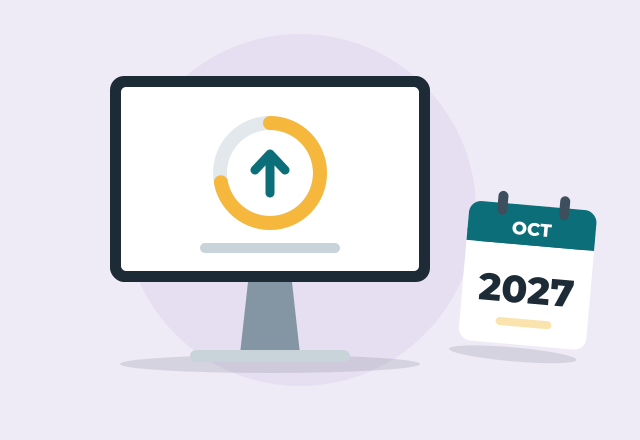
Microsoft ended regular support for Windows 10 on October 14, 2025, but home users can keep getting security updates until October 12, 2027 through Extended Security Updates, which is free if you back up your settings to a Microsoft account. Your choices are to enroll and stay on Windows 10 for now, upgrade the same computer to Windows 11 if it qualifies, or move to a new computer before October 2027.
What actually changed
Windows 10 still starts up and runs your programs. What stopped on October 14, 2025 was the monthly stream of security fixes. Without them, newly discovered holes in Windows stay open, which matters most on a computer you use for email, banking or shopping.
For home users, Microsoft offers Extended Security Updates (ESU), which keep those security fixes coming through October 12, 2027. ESU doesn't add features or fix non-security bugs. Think of it as a bridge that gives you time to upgrade or replace the computer on your own schedule.
Option 1: Stay on Windows 10 and enroll in security updates
This makes sense if the computer works well and you're not ready to change. You need only one of these:
- Free: turn on Windows Backup so your PC settings sync to your Microsoft account.
- 1,000 Microsoft Rewards points.
- A one-time $30 payment.
One enrollment covers up to 10 computers on the same Microsoft account.
To enroll, the computer must be on Windows 10 version 22H2 with recent updates installed, and you must be signed in with a Microsoft account that has administrator rights. Then open Settings, then Update and Security, then Windows Update, and click "Enroll now."
Why "Enroll now" doesn't show up
This is the question I get most. The usual reasons:
- Updates aren't finished. Install everything waiting in Windows Update, restart, and check again. The enrollment option arrives through an update.
- You're signed in with a local account, not a Microsoft account. You'll need to sign in with a Microsoft account to enroll.
- The computer is older than version 22H2. Check under Settings, then System, then About. Earlier versions must update to 22H2 first.
- It's a work or school computer managed by an employer. Those use a separate business program.
Option 2: Upgrade the same computer to Windows 11
If the computer qualifies, the upgrade is free and keeps your files and most programs. The requirements that trip people up:
- The processor. Windows 11 requires roughly Intel 8th generation or newer, or AMD Ryzen 2000 series or newer. Many laptops sold in 2017 and early 2018 have 7th generation chips and don't qualify.
- TPM 2.0. Most computers from about 2017 on have it, but it's often switched off. In the computer's startup settings (BIOS), it's called PTT on Intel and fTPM on AMD. Turning it on can be enough to qualify.
- Secure Boot, which also lives in the startup settings and sometimes needs to be switched on.
- At least 4 GB of memory and 64 GB of storage. In practice, 8 GB of memory makes Windows 11 much more pleasant.
Microsoft's free PC Health Check app tells you which requirement, if any, your computer is missing.
There are workarounds that force Windows 11 onto computers that don't qualify. I don't recommend them for most households, because Microsoft doesn't promise updates for those computers and a future update can fail to install.
Option 3: Move to a new computer
A new computer is usually the better spend when the current one doesn't qualify for Windows 11, is more than 6 or 7 years old, has a spinning hard drive instead of a solid-state drive, or already feels slow. For help with that decision, read repair or replace an older laptop.
The part people dread is the move: photos, documents, email, browser bookmarks and saved passwords, printers and the programs you use. Done with a checklist, it's a one-visit job.
Which option is right for you
- Works fine and you're not ready to change: enroll in ESU now, then plan the next step before October 2027.
- Qualifies for Windows 11: upgrade it. You'll have years of support instead of months.
- Old, slow or doesn't qualify: enroll in ESU to stay protected, then replace it when it suits you.
When to call for help
If you can't find "Enroll now," aren't sure whether your computer qualifies, or want the upgrade or move to a new computer done for you, I'll come to your home, back up your files first, and take care of it. See Windows 10 support and Windows 11 upgrades.
Common questions
Can I still use Windows 10 safely in 2026?
Yes, if the computer is enrolled in Extended Security Updates and those updates are installing. Without enrollment, it no longer gets security fixes, and the risk grows every month. Check Windows Update to confirm you're enrolled.
How do I get free Windows 10 security updates?
Sign in with a Microsoft account that has administrator rights, turn on Windows Backup so your settings sync, then go to Settings, Update and Security, Windows Update and click "Enroll now." The free option covers up to 10 computers on that account through October 12, 2027.
Why can't my computer upgrade to Windows 11?
The most common reasons are a processor older than Intel 8th generation or AMD Ryzen 2000, TPM 2.0 turned off in the startup settings, or Secure Boot turned off. Run Microsoft's PC Health Check app to see exactly which one applies.
What happens to Windows 10 after October 2027?
Security updates for home users end on October 12, 2027. The computer will keep working, but it won't be protected against new threats, so plan to be on Windows 11 before then.
Will I lose my files and programs if I upgrade to Windows 11?
No. A normal upgrade keeps your files, settings and most programs. Back up your Pictures, Documents and Desktop folders first anyway, because it's quick and protects you if the upgrade fails partway.
More tech tips
Repair or replace? When an older laptop is worth fixing
How a technician decides whether an older laptop is worth repairing, which repairs give the most life for the money, and when it's time to replace it.
Printer says "offline"? How to fix it at home
Why your printer shows "offline" on Windows or Mac even though it's on WiFi, the fixes that work, and how a technician stops it from happening again.
Is that virus warning real? How to spot a fake pop-up and what to do
How to tell a fake Microsoft or Apple virus warning from a real one, how to close it safely, and what to do if you already called the number.